
The Tools tab
Everything about which AI tools on this machine are governed.
Tool cards
One card per supported tool, each showing one of three states:
- routed through Sentilai — governed; its requests appear in the admin console.
- detected — installed, but still talking directly to the AI provider.
- not detected — not installed, or not where the app looks for it.
Each detected tool has Connect and, once governed, Disconnect.
Govern all detected tools
The card at the top connects everything detected in one action and reports the result per tool. See Govern all detected tools.
The provider-key warning
If your organization has not added a provider key yet, a warning sits above the tools: connecting a tool that runs in managed mode will not route its requests anywhere useful. Your admin adds the key on Providers in the console.
Restart reminders
Every card that needs it says so. All of these tools read their configuration at startup only, so a connect without a restart changes nothing.
When buttons are missing
If your organization deploys a managed configuration, it can prevent disconnecting, signing out, or ungoverning MCP servers. Where that applies, the button is absent and the card says the setting is managed by your organization.
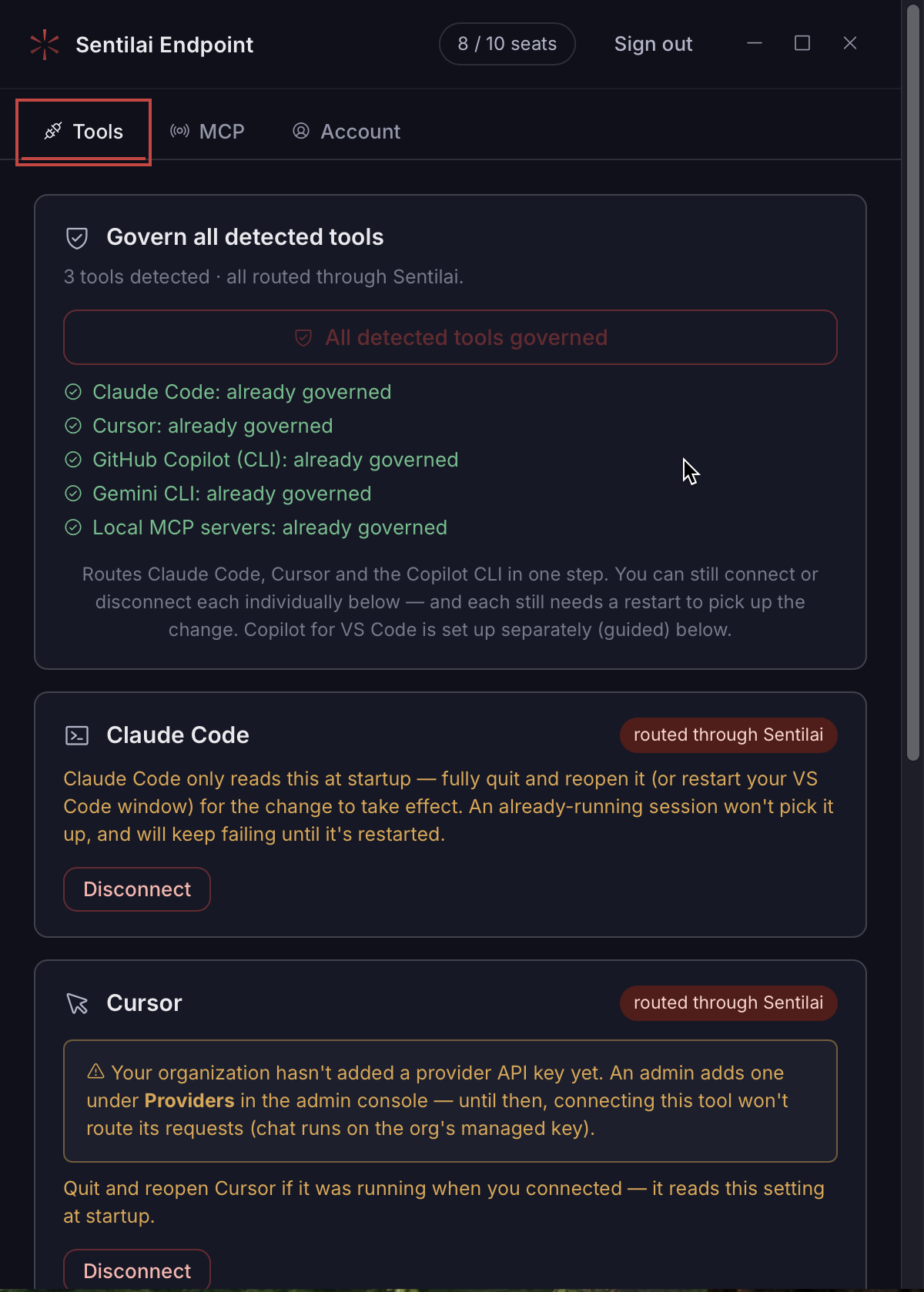 The Tools tab — one card per detected tool, each with its own connect/disconnect and the restart it needs.
No comments to display
No comments to display