
Overview
Sentilai Endpoint (desktop app)
The Sentilai Endpoint is the small desktop app that makes governance zero-touch: it discovers the AI tools on the machine, routes them through the Gateway, wraps local MCP servers, and reports device compliance.
Install & sign in
Download the signed installer from your invite or the downloads page, drag to Applications (macOS) or run the setup (Windows), open, and sign in with your work identity (passkey or your company SSO). The device registers automatically and gets its own credential.
Zero-click governing
With Automatic governing on (the default), the app governs every detected tool on launch — no clicks. Admins can pin this on for the whole fleet via managed configuration.
Updates
The app updates itself: it checks for signed updates, downloads in the background, and applies on restart. Versions are cryptographically verified end-to-end.
Managed configuration (MDM)
Fleet deployments can pre-set behavior via a managed config file (/Library/Application Support/Sentilai/managed-config.json on macOS, C:\ProgramData\Sentilai\managed-config.json on Windows): environment, autostart, pinned auto-govern, and user restrictions — disable disconnect, sign-out, or un-governing MCP servers, so a developer cannot quietly step outside governance.
Device compliance
Each device reports whether every installed tool is actually governed. Non-compliant devices are visible in the Admin Console's Devices screen, so drift (e.g. a manually removed setting) surfaces instead of hiding.
Local event log
The app keeps a local, exportable event log. Admins can request a device's logs from the console; with user-visible consent flows, support can be granted access for troubleshooting.
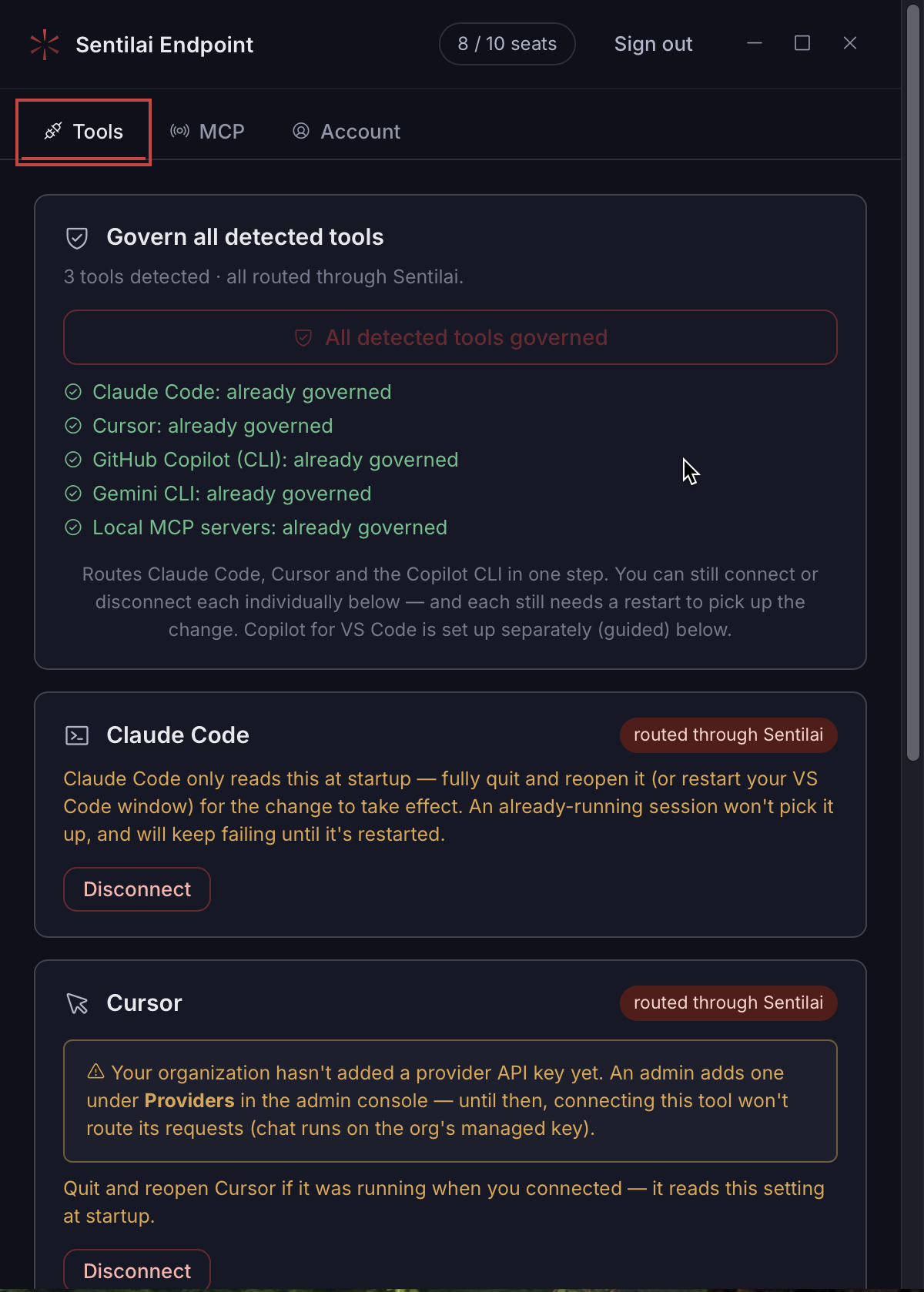 The Endpoint Suite: three tabs, the seat counter, and every AI tool it found on this machine.
No comments to display
No comments to display