
Overview
Connect your tools
The Sentilai Endpoint app configures your AI tools to route through the Gateway. On a governed machine, open the app and use Govern all detected tools — everything below happens automatically. This page documents what each adapter actually does, for transparency and troubleshooting.
Claude Code
The adapter points ANTHROPIC_BASE_URL at the Gateway (session-wide), so Claude Code's own credential — your Claude subscription session or API key — passes through unchanged. Claude Code reads this at startup: fully quit and reopen it after connecting.
Cursor
Cursor is routed via its custom endpoint mechanism, which can only carry an API key — so Cursor runs in managed key mode: the Gateway injects your organization's provider key from the Provider Vault. Cursor picks the change up on a full restart (the app offers a one-click restart).
GitHub Copilot
- Copilot CLI: configured via environment (
COPILOT_PROVIDER_BASE_URL+ a device credential). Managed key mode. - Copilot in VS Code: a guided card in the app — VS Code's BYOK settings need one manual paste (VS Code offers no API for another extension to do it). Requests still transit GitHub's servers; routing adds governance on the model call.
Gemini CLI
Configured via GOOGLE_GEMINI_BASE_URL + GEMINI_API_KEY (the device credential). Managed key mode — the Gateway injects your organization's Gemini key upstream.
Codex CLI
The adapter adds a managed provider block to ~/.codex/config.toml pointing at the Gateway, reversible byte-for-byte on disconnect. Managed key mode with your organization's OpenAI key.
Verifying
Every governed tool shows connected in the app, and its traffic appears on the Activity screen within seconds of use.
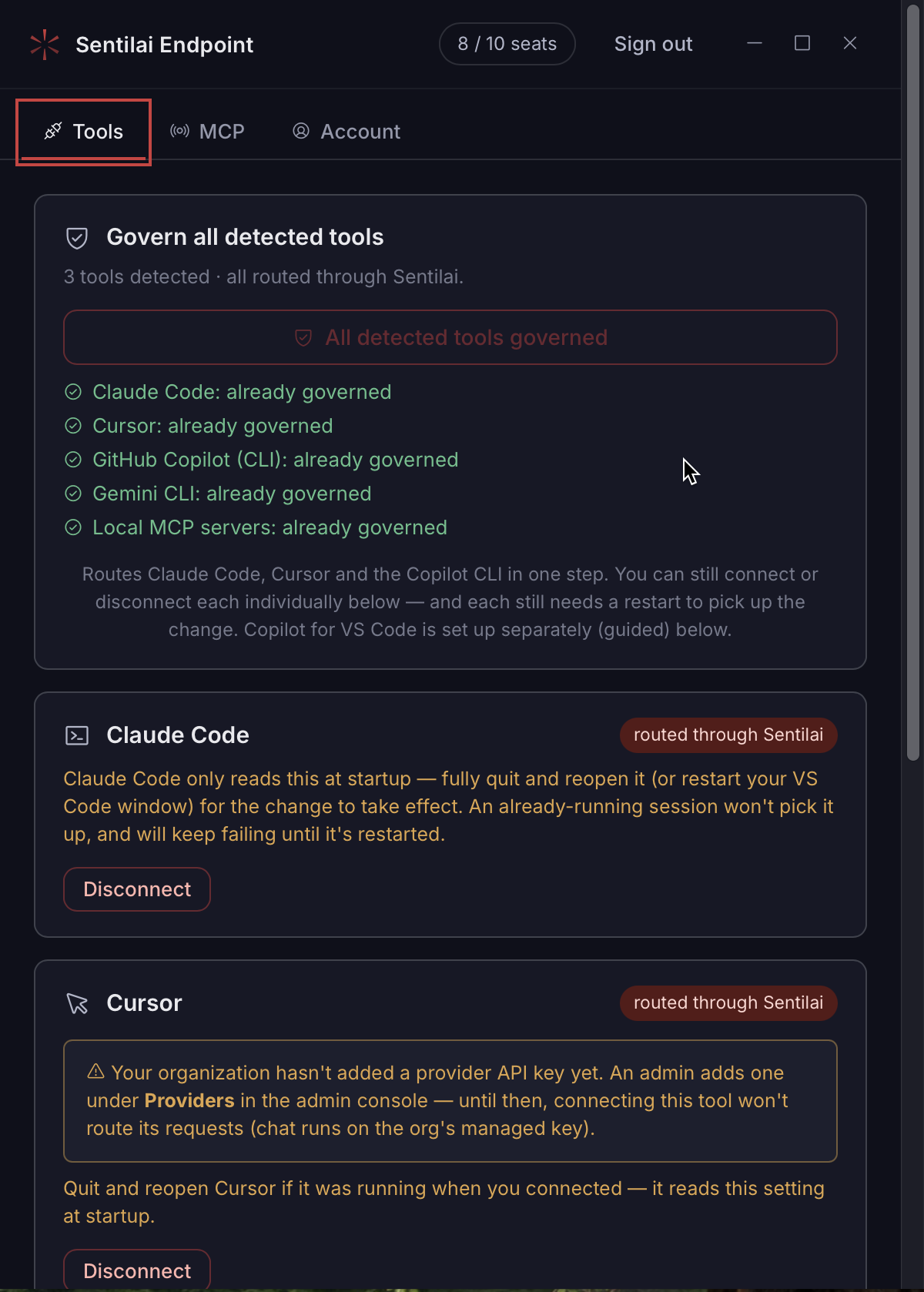 Everything the Suite found on this machine, and whether each one is routed through Sentilai yet.
No comments to display
No comments to display