
Cursor
Cursor can be governed, with four caveats worth knowing before you start. The app lists all four in the confirmation dialog; they are repeated here because they change what you should expect.
The four caveats
- Chat models only. Cursor's Tab autocomplete keeps using its own built-in model and is not routed through Sentilai. Autocomplete traffic will not appear in Activity.
- Requests still transit Cursor's servers. Cursor's architecture sends requests through its own infrastructure before they reach the provider endpoint you configure. Governance applies, but Cursor is still in the path.
- Cursor must be fully quit before connecting or disconnecting — it holds its settings database open and a running instance will overwrite the change.
- Managed API key only. Cursor's custom-endpoint mechanism cannot carry a subscription login, so this tool requires an OpenAI provider key on your organization.
Connecting
Quit Cursor. Then Tools → Cursor → Connect and confirm. The app takes a backup of the settings database before editing it, and offers a Restart Cursor now button afterwards.
After reconnecting
Open Cursor's Settings → Models and make sure the OpenAI key is enabled and a
gpt-… model is selected. Cursor will otherwise quietly fall back to its own models and
you will see nothing in Activity.
Disconnecting
Quit Cursor first, then Disconnect. The saved backup is restored.
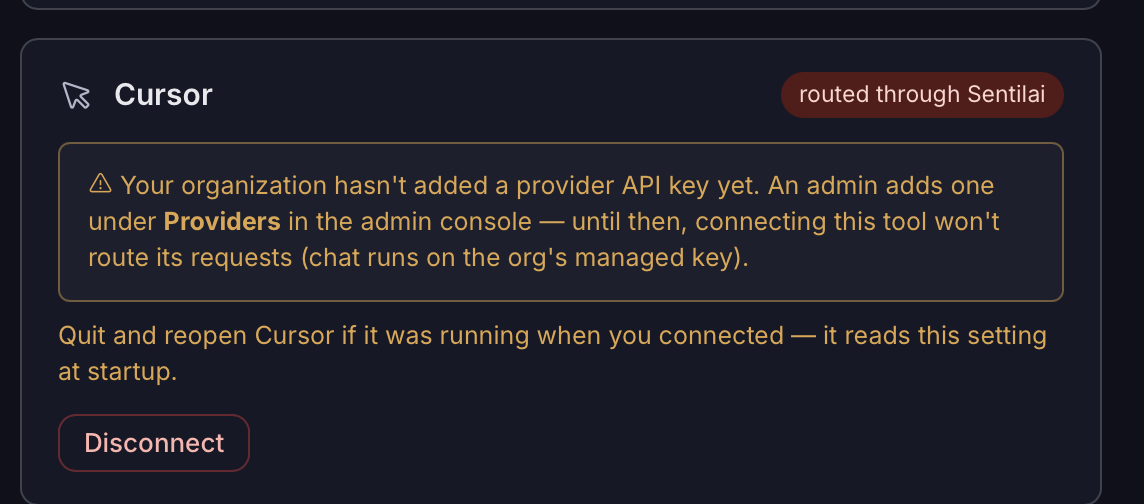 Cursor’s card. The warning is real: without a provider key on the organization’s Providers screen, connecting routes nothing.
No comments to display
No comments to display