
Use the egress blocklist
Governance at the Gateway only helps for traffic that reaches the Gateway. A developer can
always point a tool straight at api.openai.com. Your network is where you close that
door.
What Sentilai gives you
Policy → Egress blocklist produces a list built from what you have actually configured: your provider endpoints, and the MCP endpoints you have registered. Download it as a text file or copy it.
Because it is generated, it stays in step with your configuration — add a provider and the list changes.
What to do with it
Hand it to whoever runs your egress filtering. The rule you want is roughly:
- Block direct access from developer machines to the AI provider APIs.
- Allow the Sentilai Gateway.
The effect is that the governed path is the only path. A tool that has drifted out of governance stops working visibly, rather than working invisibly ungoverned — which is by far the better failure.
Do it in stages
Blocking provider APIs organization-wide on a Monday morning will break something you did not know existed — a CI job, a data pipeline, someone's script.
Run it in monitor mode first, see what talks directly, decide case by case, then enforce.
The limit
This covers machines on your network. A laptop on a home connection or a phone tether is outside it. Combine egress control with the Non-compliant flag in Diagnostics, which catches drift wherever the machine happens to be.
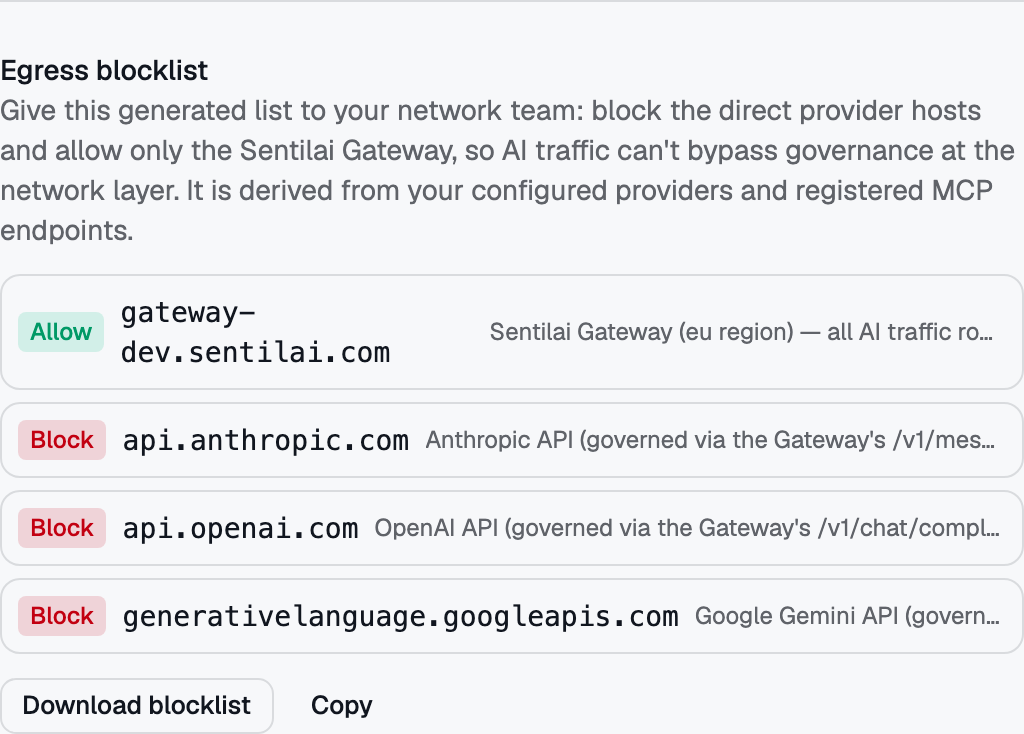 The egress blocklist, generated from your own providers and routed endpoints — hand it to your network team.