
Authenticating to the API
Sentilai's API uses OAuth 2.0 client credentials. You create a credential in the console, exchange it for a token, and call the API with the token.
Creating a credential
API Credentials → Create Credential:
- Name — after the system that will use it, not the person creating it.
- Scopes — see Scopes and least privilege.
- Expires in — 30, 90 or 180 days, or a year.
- IP allowlist / denylist — one entry per line or comma-separated; CIDR ranges work.
The client secret is shown exactly once, in a dialog that asks you to confirm you have saved it. There is no way to retrieve it afterwards — only to reissue, which invalidates the old one.
Using it
Exchange the client id and secret for an access token,token at
POST https://admin.sentilai.com/api/oauth/token, then send it as a bearer token. The
request body is form-encoded (standard OAuth), not JSON:
curl -X POST https://admin.sentilai.com/api/oauth/token \
  -d "grant_type=client_credentials" \
  -d "client_id=cid_..." \
  -d "client_secret=..."
The response carries access_token (valid for an hour) and token_type: Bearer. Send it
as Authorization: Bearer <token>. The token carries your credential's scopes; a call
outside them is refused.
Rotating
Reissue secret generates a new secret and the old one stops working immediately. Plan for a moment of downtime in whatever uses it, or create a second credential, migrate, and revoke the first.
Revoke is permanent.
Expiry
Set one. An expiring credential forces a rotation you would otherwise never do, and the console shows the expiry date in the table so it does not surprise you.
The Last used column tells you which credentials are actually in service — "never" is usually a credential someone created, mislaid the secret for, and quietly recreated.
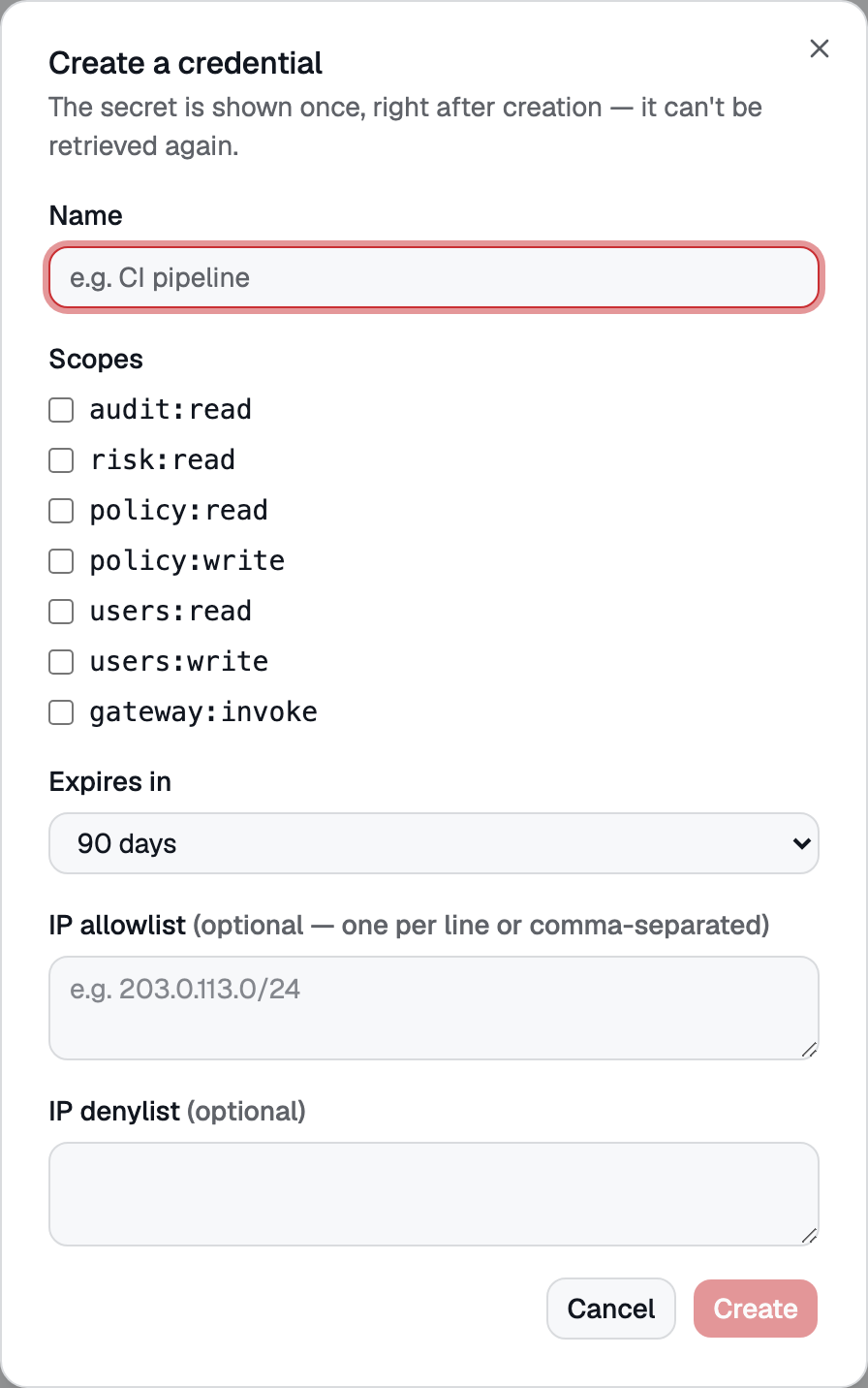 The create-credential dialog — name, scopes, expiry and IP restrictions. The secret is shown once, right after creation.